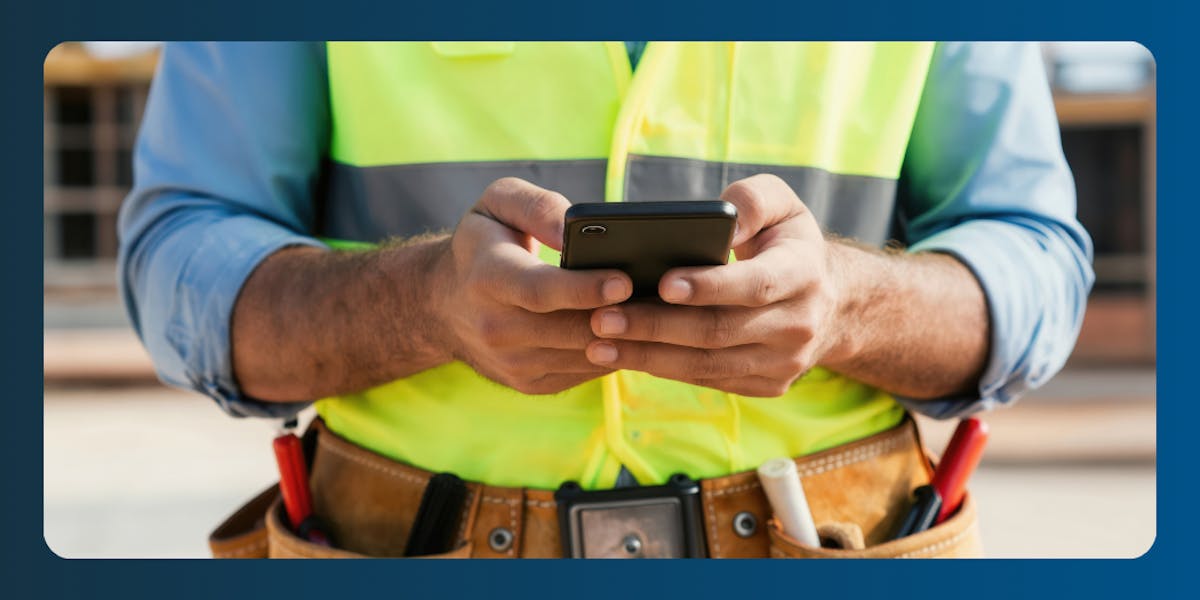
What Is Employee GPS Tracking?
Employee GPS tracking uses the location services on a phone, tablet, or dedicated hardware device to record where workers are during working hours.
In construction, it is usually built into a time tracking app that captures a location pin when a worker clocks in, clocks out, or switches tasks, and sometimes at regular intervals in between.
The data is sent to a central dashboard where managers can see who is on which jobsite, how long they have been there, and whether company vehicles or equipment are where they are supposed to be.
Most reputable GPS time tracking tools only collect location data while an employee is on the clock. Once they clock out, tracking stops.
How Is GPS Used in Construction?
GPS in construction generally covers two distinct use cases:
Tracking people
Tracking assets.
Most companies start with one and add the other as they grow.
1. Tracking employees and crews
Worker tracking ties hours to specific job sites. A plumber arriving at a new build punches in on their phone, and the system records both the time and the GPS coordinates.
The foreman can pull up a live map showing every active employee, which is useful for confirming attendance, dispatching the nearest available worker to a callout, and reviewing routes if a job ran over.
When a customer disputes the labor hours on an invoice, the office can pull the GPS log showing exactly who was on site and when. Disputes that might otherwise take days to resolve close in minutes.
Learn more about how ClockShark’s GPS time clock app handles crew tracking.
2. Tracking equipment and assets
Asset tracking puts a small GPS unit on trucks, trailers, generators, skid steers, or anything else valuable enough to steal.
The device reports its location continuously, so if a piece of equipment leaves the yard outside of working hours, the system can trigger an alert.
For contractors with high-value equipment on multiple sites, this is often the fastest-payback use case.
Geofencing jobsites
Geofencing draws a digital boundary around a jobsite on a map. When a worker enters or leaves that boundary, the system can record it, prompt them to clock in, or send a notification to the office.
This ties location directly to project records and removes the guesswork from where time was spent.
An HVAC company can set a 200-foot geofence around a commercial install so that when a tech crosses the line in the morning, they get a push notification to start their timer. When they leave at lunch, the office sees the gap and can confirm whether it was a paid break.
Benefits of GPS Tracking Employees in Construction
GPS tracking pays for itself fastest in companies that have been running on paper timecards or memory.
More Accurate Timecards and Payroll
When clock-ins are tied to a verified location, the hours on a timesheet match the hours actually worked. There is no rounding up, no buddy punching, and no Monday morning arguments about whether someone showed at 7:00 or 7:30.
A 15-person masonry crew moving from paper timecards to GPS-verified clock-ins can recover two or more hours per worker per week, enough to save $1,500 to $2,000 a month in payroll without changing anything else about how the job runs.
Better Jobsite Visibility
Managers can see at a glance which jobs are staffed and which are short.
When a framing inspection gets moved up a day, a live crew map showing two carpenters finishing a nearby job means the office can redirect them without a phone call, without delay, and without pulling someone off a higher-priority site.
Easier Dispatching and Crew Coordination
Service businesses with reactive call-outs benefit most. Knowing which truck is two miles from the next emergency, rather than guessing from a schedule that was accurate three hours ago, cuts response times and reduces overtime.
Commercial plumbing outfits that dispatch based on real GPS location rather than the roster routinely shave 10 to 15 minutes off average travel time per call.
Improved Field Worker Safety
On remote sites, lone workers, and storm response work, knowing where your people are matters for safety, not just productivity.
After a tornado, a roofing company sending crews into a damaged neighborhood with no street signs can use live GPS to confirm every worker reaches the rally point at the end of the shift.
If an electrician on a rural service call stops responding, the last known ping tells the office exactly where to send help.
Stronger Equipment and Asset Protection
Construction equipment theft costs the US industry hundreds of millions of dollars a year, and recovery rates without GPS are poor.
A small monthly subscription per asset, typically $10 to $20, can pay for itself through a single recovered piece of equipment or an insurance premium reduction.
Some insurers discount equipment coverage by 6 to 10% for GPS-tracked fleets, which for larger contractors more than covers the cost of the units.
Better Job Costing and Project Records
When labor hours are tagged to a specific job through a verified location, job costing reports reflect reality.
A custom home builder who reviews a quarter of GPS-verified labor data might find one trim package consistently running 20 % over estimate, information that was always there in theory but impossible to surface from paper timecards.
The next quote gets a more accurate labor line, and the margin comes back.
Drawbacks and Risks of GPS Tracking Employees
GPS tracking is not free, and it is not without downsides. Going in with eyes open keeps you out of trouble later.
Employee Privacy Concerns
Workers reasonably worry about being monitored on their personal time, especially when the tracking app sits on their personal phone. The concern is rarely the technology itself. It is not knowing when it is on, what it captures, and who sees the data.
Most reputable GPS tracking apps for construction only record location during clocked-in hours. Making that clear upfront is the difference between a smooth rollout and a wave of resignations.
Put the boundaries in writing and state when tracking is active, what data is collected, how long it is kept, and who has access. Share the policy with staff before you deploy the software, not after.
A documented, signed-off policy also gives you a defensible position if a worker raises a complaint later and aligns with US Department of Labor guidance on informing workers about workplace monitoring.
Lower Trust if Tracking Is Rolled Out Poorly
When workers find out about GPS tracking after the fact, they assume the worst. A landscaping company that holds a 30-minute team meeting before launch, walks through the policy line by line, and leaves time for questions will see a different outcome six months later than one that quietly pushes an app update and hopes nobody asks.
Adoption, compliance, and goodwill all hinge on how the rollout is handled, not on the technology itself.
Legal and Compliance Risks
Most states allow tracking on company time, but a multi-state contractor using the same policy across all branches can find itself out of compliance in states with stricter notice or consent requirements, and correcting it after the fact means weeks of admin time and legal fees.
The bigger structural risk is the personal device question. Most small construction businesses are not issuing company phones. When the tracking app lives on a worker’s personal iPhone or Android, the legal and trust questions become more complicated.
What data is accessible outside of work hours, who controls the device logs, and whether state law treats personal device tracking under a different standard even with signed consent. Some states do.
The safest approach is to use company-owned devices where possible, and where that is not practical, to obtain explicit written consent specific to personal device tracking rather than relying on a general GPS policy acknowledgement.
GPS Data is Not Always Perfect
GPS depends on signal strength. Inside steel buildings, basements, or heavily wooded areas, location accuracy can drift by 50 to 100 feet.
A commercial electrician flagged for clocking in outside a geofence may simply have been inside a metal-roofed warehouse with weak signal.
Treating GPS data as the final word rather than one input among several creates problems. A photo, a supervisor note, or a quick phone call is usually all it takes to resolve the ambiguity.
Setup and Software Costs
GPS time tracking software typically runs from $20 to $40 per month in base fees plus $8 to $11 per active user, with asset trackers adding $10 to $20 per device per month.
For most small crews, the payback period is one to three months once time inflation and buddy punching are eliminated, but that only holds if the system is actually adopted.
A rollout that meets resistance from the crew delays that payback and adds management overhead.
Is it Legal to Track Employees with GPS?
In most US states, employers can track employees with GPS during working hours on company-owned devices and vehicles, provided employees are informed. The picture changes in a few important ways.
Several states impose specific notice or written consent requirements beyond a general policy acknowledgement.
California, Connecticut, Delaware, New York, and Texas are among those with explicit rules, but this list changes as more states update their privacy legislation.
Any multi-state operation should have an employment attorney review the policy before rollout rather than assuming one document covers all jurisdictions.
The more immediate issue for most small construction businesses is personal devices. Most field crews use their own phones, not company-issued hardware.
When a GPS tracking app runs on a worker’s personal device, questions arise that do not apply to company-owned equipment:
What data is accessible outside of work hours
Who controls the device logs
Whether state law treats personal device tracking under a different standard even with signed consent
Some states do. The safest approach is to use company-owned devices where possible, and where that is not practical, to obtain explicit written consent specific to personal device tracking rather than a general GPS policy acknowledgement.
The baseline federal standard is set by the US Department of Labor under the Fair Labor Standards Act, which governs how employee time must be documented.
GPS records can support those requirements if collected lawfully, but they do not replace the obligation to record hours accurately.
A few practical rules cover most situations:
Only track during working hours,
Give employees a written policy before tracking begins
Obtain a signed acknowledgement from every worker, and
Use location data only for the purposes stated in that policy.
Tracking outside of working hours, or using location data for disciplinary decisions outside of documented performance reviews, is where most employers run into trouble.
What to Include in a GPS Tracking Policy Template
A solid GPS tracking policy is short, written in plain English, and signed by every employee before tracking begins. It should cover the following sections.
1. Purpose
Explain why the company tracks GPS location. Typical reasons include verifying jobsite attendance, improving payroll accuracy, protecting company assets, and supporting worker safety on remote sites.
2. Scope
State exactly who is covered (field employees, drivers, and crew leads) and which devices are included (company phones, personal phones running the company app, company vehicles, and asset trackers).
3. When Tracking Occurs
Make it clear that GPS tracking runs only when an employee is clocked in for work. State the time the tracking starts (typically at clock-in) and when it stops (at clock-out or end of shift).
4. Privacy and Data Use
Tell employees what data is collected, who can see it, how long it is stored, and how it is protected. Confirm that location data will not be used to monitor personal activity or off-duty behavior, or to make hiring decisions outside of legitimate work-related performance reviews.
5. Prohibitions
Spell out what employees cannot do, such as turning off the GPS feature during work hours, removing tracking devices from vehicles, or sharing tracking data with anyone outside the company.
6. Employee Consent and Acknowledgement
Include a signature line. The employee signs to confirm they have read the policy, understand what is tracked, and agree to follow it. Keep the signed copy in their personnel file.
Free GPS Tracking Policy Template for Construction Companies
Download a free GPS tracking policy template designed for construction and field service businesses. Edit the company name, jurisdictions, and specific tools, then have each employee sign before rollout.
Download the Google Docs template →
How to Introduce GPS Tracking to Your Construction Crew
How you launch GPS tracking matters more than which software you pick.
The companies that get this right hold a team meeting, hand out the written policy, and answer questions before the app is installed.
ClockShark has a useful guide on how to introduce GPS time tracking that walks through the conversation in detail. The following steps cover the essentials.
Be upfront before tracking starts
Tell the team two to four weeks before launch, not the morning of.
Explain the business reasons: payroll accuracy, job costing, and safety.
Spell out what workers get out of it: no more arguments over hours, faster paychecks, and fewer phone calls from the office.
Explain that tracking happens during work hours only
Workers assume the worst until you tell them otherwise.
State plainly that GPS runs from clock-in to clock-out and stops the moment they punch out.
Show them where they can confirm the app is not tracking after hours.
Focus on accurate pay, safety, and jobsite coordination
If a customer disputes labor hours, GPS data backs up the worker.
If a tech is hurt on a remote job, the office knows where to send help.
Honest workers benefit most from an accurate record.
Give employees a written policy
Hand each worker a signed copy of the policy.
Walk through it section by section in a team meeting.
Leave time for questions. A verbal briefing is not enough on its own.
Train managers not to misuse location data
A foreman who pulls up the live map every 10 minutes teaches the crew to distrust the system.
Train managers to use GPS data for genuine business reasons and leave it alone otherwise.
Check out our helpful guide GPS time tracking myths for any skeptical workers.
Give employees a way to ask questions
Set up a direct line to the operations manager, owner, or HR.
Make it easy for concerns about data use to be raised openly.
People who feel heard cooperate. People who feel ignored find workarounds.
How ClockShark Helps Construction Teams Use GPS Tracking Responsibly
ClockShark is built for construction and field service businesses, and its GPS time clock app is designed around the privacy and accountability principles covered above.
Location data is only collected while employees are clocked in. Once they punch out, tracking stops. Managers see a live map of active workers, geofenced jobsites tie clock-ins to the right project, and every hour is logged against a customer and task for job costing.
Workers download the app, join their crew, and clock in from the field with a single tap. Office staff get a live map, a view of who is working now, and reports that tie labor to specific jobs and tasks.
The ClockShark help center has step-by-step guidance on using GPS tracking inside the app, worth reading before you roll out the policy.
Mabry’s Electrical Service, a North Carolina electrical contractor in business for more than 30 years, switched to ClockShark for GPS-verified time tracking, payroll, and job billing. The company now saves about $400 a month on payroll alone and uses Job Details reports to bill labor accurately.
“I went from spending seven hours a week on payroll, to three. When I did it by hand, it's one thing to add together increments to the nearest 15 minutes but it's too much to add nine hours and 36 minutes, versus rounding time to the nearest quarter of an hour, to their benefit, for every single employee for every single day. I know this adds up.” - Amber Mabry, Mabry’s Electrical Service
Use GPS Tracking to Build Accountability
Used fairly, with a clear policy, an honest rollout, and managers who treat location data as a business tool rather than a surveillance feed, GPS tracking resolves the small daily uncertainties that quietly drain a construction business.
Hours match the job. Equipment stays accountable. Customer disputes close fast.
Start a free 14-day trial of ClockShark at clockshark.com, no credit card required, or book a demo to see the GPS time clock, geofencing, and job costing tools in action.
Frequently Asked Questions
Can employers track employees after hours?
No, not without explicit written consent, and even then it is rarely a good idea. Reputable GPS time tracking apps, including ClockShark, only collect location data while an employee is clocked in.
Tracking off-the-clock activity exposes the employer to significant privacy and legal risk.
Can GPS tracking be used for payroll?
Yes. GPS-verified clock-ins and clock-outs feed directly into timesheet reports, which then flow into payroll.
This is one of the most common and most valuable uses of GPS tracking in construction, because it removes manual entry and the disputes that come with it.
Do employees have to consent to GPS tracking?
Requirements vary by state. Most states allow tracking on company devices and vehicles with notice. Some, including California and Connecticut, require written consent.
The safest approach is to obtain a signed acknowledgement from every employee before rollout, regardless of state.
What is the biggest disadvantage of GPS tracking employees?
The biggest risk is damaging trust with the crew. If GPS tracking is introduced without explanation, used to monitor personal time, or applied inconsistently, workers will resent it and resist using the system.
A clear written policy, an honest team meeting, and disciplined use of the data prevent almost all of these problems.