What Is a Timesheet App for Construction?
A timesheet app for construction is a mobile tool that lets site crews clock in and out from any location using their phones, replacing paper time sheets and manual logs. Unlike generic time trackers, construction-specific apps are built around how field teams work: jobs across multiple sites, variable hours, and patchy mobile coverage.
Contractors use them to:aVerify hours on site using GPS to confirm attendance
Allocate labour to the right project in real time, keeping job costing accurate
Push approved hours straight to payroll without re-entering data
10 Best Timesheet Apps for Construction: At a Glance
Best Construction Timesheet Apps | Best for | Price | G2 ratings |
Small to mid-sized construction companies needing GPS tracking, job costing, and scheduling. Great for field service and trade contractors. | Starts from US $40/month base fee + US $9/user/month (Standard plan) | ||
Field service contractors and construction crews wanting simple time tracking with GPS verification and basic job management. | Starts from US $8/user/month + US $50/month company base fee. | ||
Commercial construction companies and contractors needing robust job costing, equipment tracking, and workforce management. | Starts from US $0 (Free plan) | ||
Construction companies prioritizing GPS accuracy and mileage tracking, especially those with mobile crews visiting multiple job sites. | Starts from US $4/user/month | ||
Deskless and multi-location teams that need a central hub for scheduling, clock-ins, and communication | Basic (up to 30 users) | ||
Small contractors or startups on a budget (has a free tier), good for basic time tracking, but lack construction-specific features. | Starts from US $0 (Free plan) Free plan available, no trial required. | ||
General contractors with office and field staff who need straightforward time tracking with PTO management and payroll integration. | Starts from US $5.49/user/month + US $19/month base fee | ||
Multilingual crews as the only app in the list offering English, Spanish, and French in-app translations. Teams that don't all have smartphones thanks to its rugged portable JobClock hardware that workers can punch in on without a phone | $9 per user / month Billed Annually+ Monthly Base Fee | ||
Medium to large construction companies needing comprehensive daily reports, safety toolbox talks, and project documentation alongside time tracking. | Pricing requires a quote | ||
Self-perform GCs and speciality contractors with buddy punching or time theft issues need verified, fraud-proof time tracking. | Contact SmartBarrel for pricing |
1. ClockShark: GPS Time Tracking And Job Costing For Construction
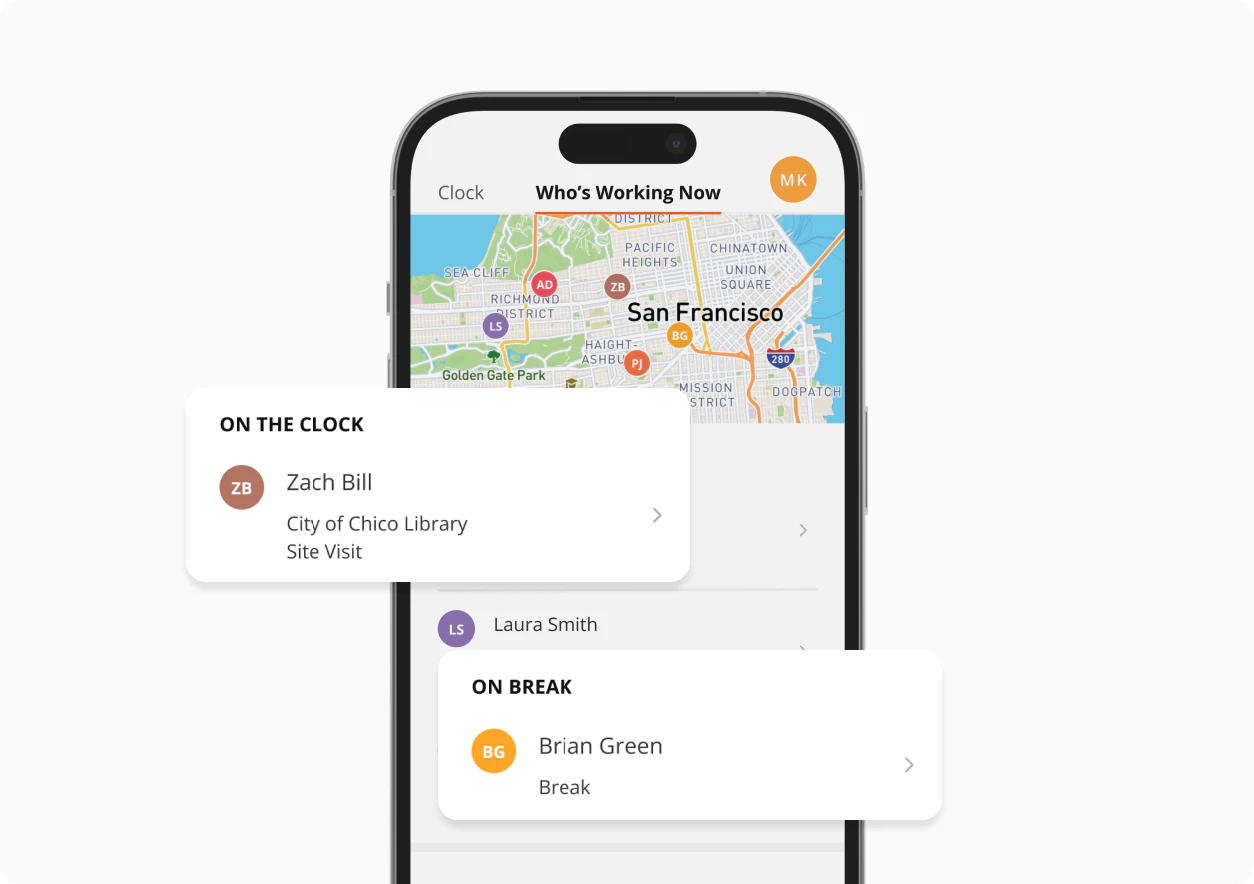
Built specifically for construction and field service teams, ClockShark makes time tracking manageable. Your crew clocks in from their phones, GPS verifies they're on site, and everything flows directly into QuickBooks for payroll. It's designed for how construction crews actually work, with features that handle job costing and scheduling without the learning curve.
Key Features and Use Cases
Mobile Time Tracking: Crews clock in and out directly from their smartphones, eliminating paper timesheets and manual data entry.
GPS Time Clock App: Automatically captures employee locations at clock-in/out, verifying on-site attendance and providing proof for client billing.
Geofence Time Tracking: Set virtual boundaries around job sites so employees can only clock in when they arrive at the correct location.
Kiosk Time Clock: Set up a shared tablet at the job site trailer where multiple crew members can clock in and out.
Employee Scheduling: Create and manage crew schedules, assign workers to specific jobs, and send automatic notifications.
Integrations with QuickBooks, Sage, and more: Export timesheet data to payroll and accounting systems, saving hours of administrative work.
What Users Say
"Headache Reliever! I love that our teammates can clock in and out of jobs with ease. No more confusing paperwork! It's all digital now and makes time-keeping way less overwhelming!", Louisa J., Office Manager, G2
Pricing
Plan: Standard Plan
Cost: $40/month base fee + $9/user/month
Free Trial: 14-day trial available
Link to pricing page
2. Workyard: Precise GPS Time Tracking For Construction Crews
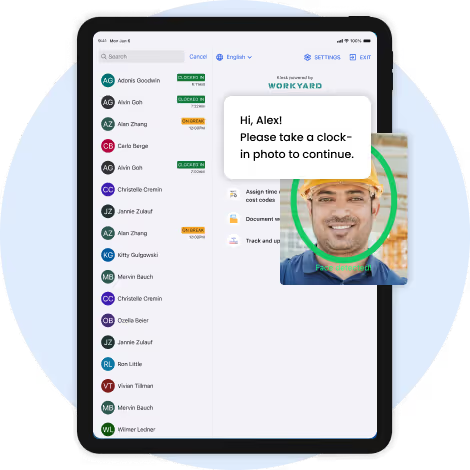
Straightforward GPS time tracking that your crew will pick up instantly. Clock in with a tap, snap progress photos, and track mileage, all from one app. It's a solid choice for contractors who want reliable job costing and field documentation without overcomplicating things.
Key Features
GPS time tracking with automatic clock-in/out
Job costing to track labour costs per project
Mileage tracking for reimbursements
Photo documentation of job progress
Integrations with QuickBooks and other accounting software
What Users Say
"Perfect for Tracking Time, Travel, and Labor Across Multiple Job Sites" Source: Nicholas W., Owner, Small Business, G2
Pricing
Plan: Starter Plan
Cost: $8/user/month + $50/month company base fee
Free Trial: 14-day trial available
Link to pricing page
3. busybusy: Job Costing And Equipment Tracking For Contractors
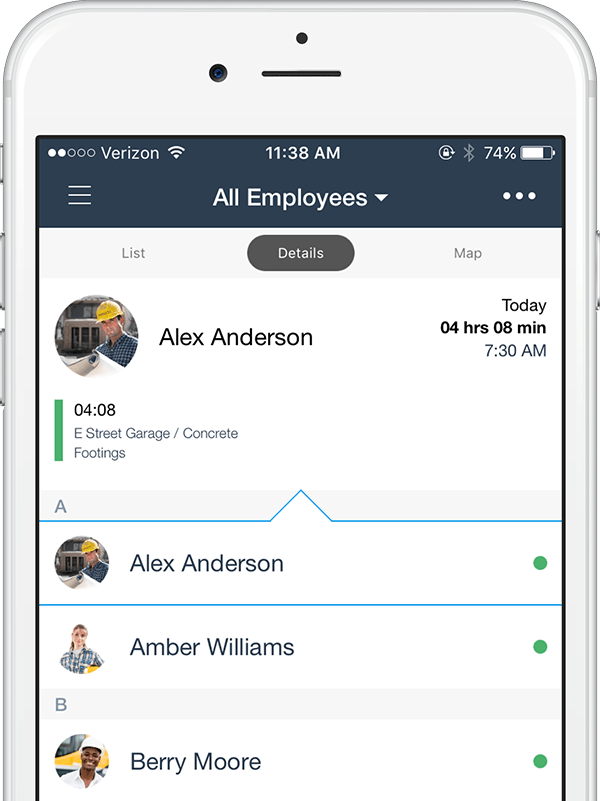
Designed with construction job costing in mind. Track labour and equipment hours by phase, generate certified payroll reports for prevailing wage work, and get the detailed cost data you need to protect your margins.
It's particularly strong for commercial contractors who need serious financial visibility.
Key Features
Job costing with labour and equipment hour tracking
Equipment time tracking to monitor utilisation
Certified payroll reports for prevailing wage projects
GPS tracking with geofencing
Integration with major accounting platforms
Free plan available
What Users Say
"The app is very easy to use, even for those "Dinosaurs” on our crew. Integration to QuickBooks desktop is quite good. Customer Service is Great." Source: Travis G., Operations Manager, G2
Pricing
Plan: Free plan available
Cost: $0 (Free); paid plans from $9.99/user/month (billed annually)
Free Trial: 14-day trial available
Link to pricing page
4. Timeero: Accurate GPS And Mileage Tracking For Field Teams
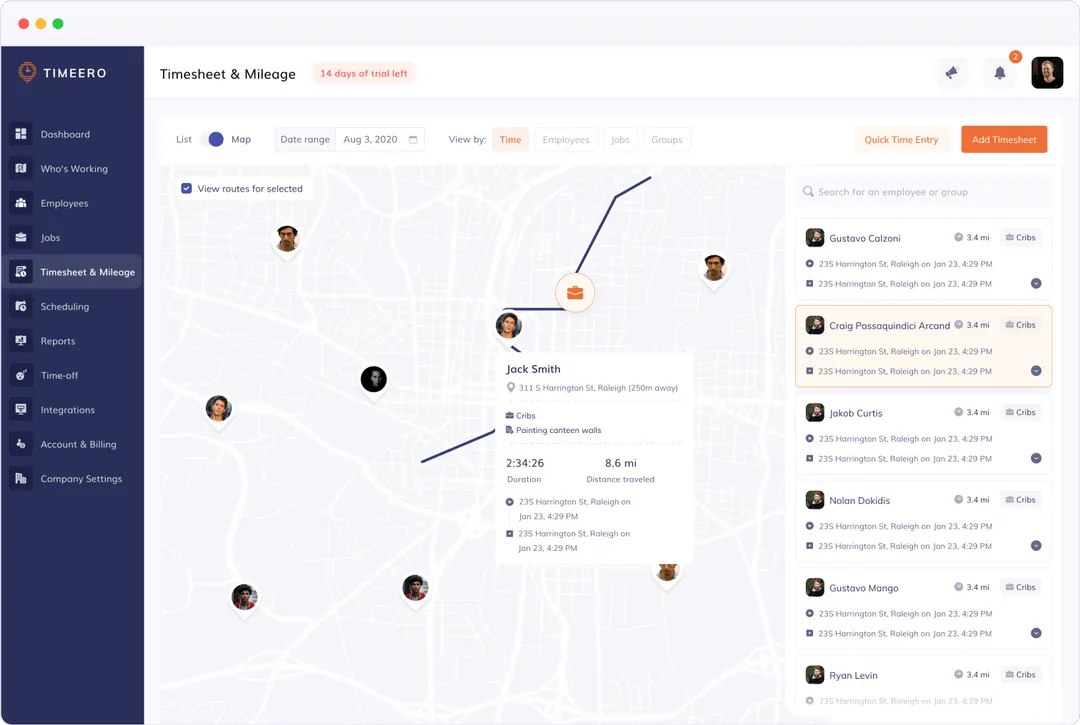
Precision GPS tracking is where Timeero really stands out. The breadcrumb trail feature shows exactly where your crews have been throughout the day, and the mileage tracking is accurate for client billing. If you manage multiple job sites or need detailed location verification, this delivers the proof you need.
Key Features
Advanced GPS tracking with breadcrumb trail history
Mileage tracking with IRS-compliant reports
Geofencing to automate clock-in/out
Segmented tracking to separate personal from work time
Real-time location monitoring
What Users Say
"The customer service has been phenomenal throughout the process. Working with the team at Timeero has been a great experience, and we really love all the features the service offers us." Source: Tracie L., Office Manager, G2
Pricing
Plan: Basic Plan
Cost: $4/user/month
Free Trial: 14-day trial available
Link to pricing page
5. Connecteam: All-In-One Crew Management And Time Tracking
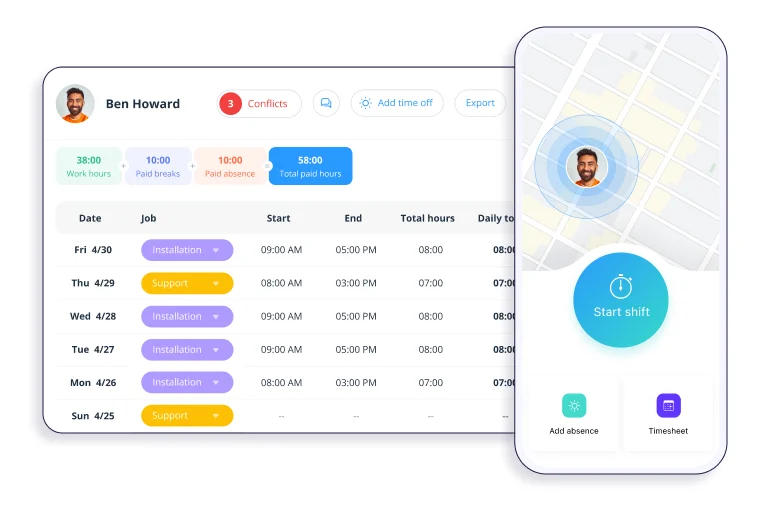
If you're juggling time tracking, scheduling, and crew communication across multiple tools, Connecteam is built to pull all of that into one mobile app. Construction teams get GPS-verified clock-ins, geofenced job sites, and auto-generated timesheets that feed straight into payroll, cutting down the admin work that tends to pile up at the end of every pay period. It's particularly strong for businesses managing deskless workers across multiple locations.
Key Features
GPS time clock with geofencing to prevent off-site clock-ins
Auto-generated, payroll-ready timesheets
Per-project and per-task time tracking for job costing
Drag-and-drop employee scheduling
Payroll integrations with QuickBooks, Gusto, Paychex, and Xero
In-app team chat, forms, and checklists
What Users Say
"Intuitive interface and ease of implementation and integration. Easy to use frequently throughout the day. Lots of communication tools like chat, updates, and task assignments." Source: Nicole B., Project Manager, G2
Pricing
Plan: Basic (up to 30 users)
Cost: From $29/month
Free Trial: 14-day trial available
Link to pricing page
6. Clockify: Free Timesheet App For Small Construction Teams
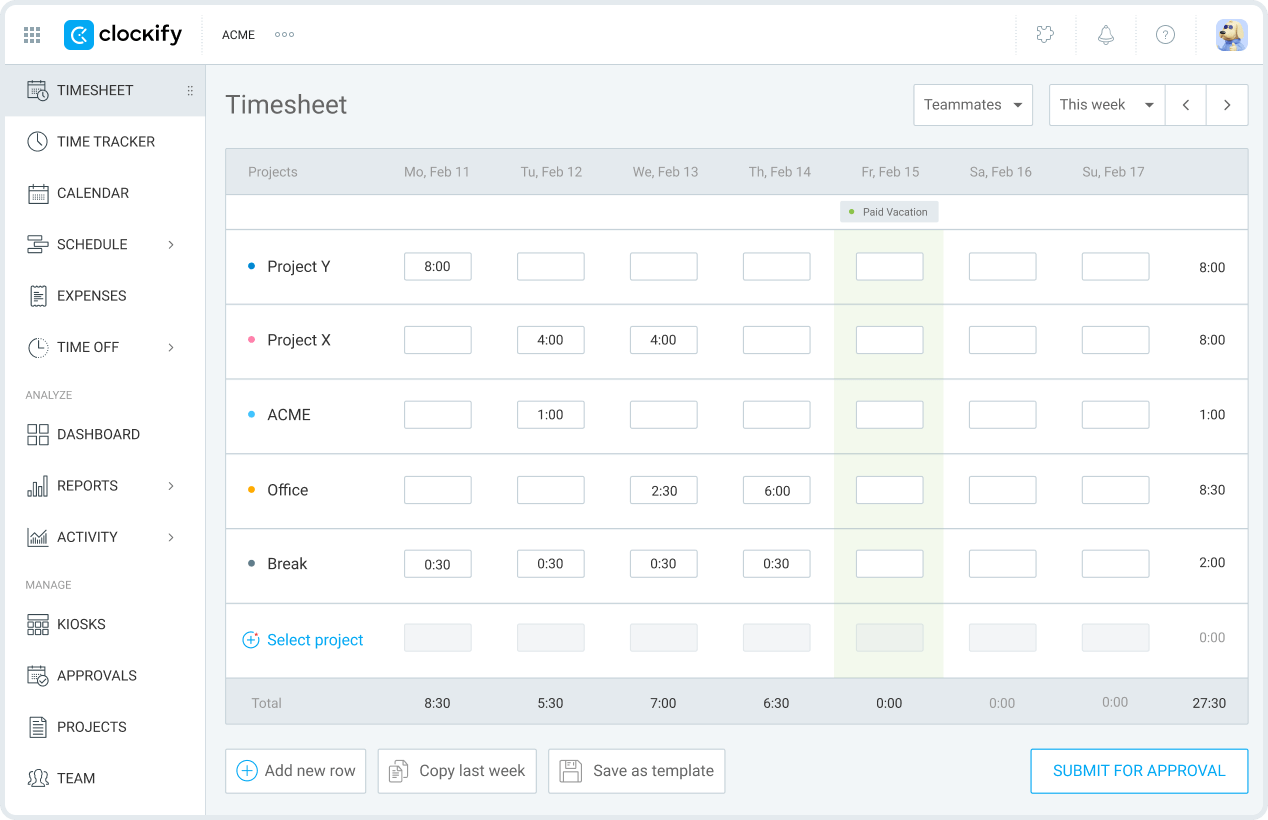
A capable free option for basic time tracking needs. While it doesn't include construction-specific features, Clockify handles timesheets, project tracking, and reporting well enough for small crews or contractors just starting out. Their affordable paid tiers add more functionality as your business grows.
Key Features
Simple time tracking with timesheets
Project and task time tracking
Basic reporting and exports
Free plan available
No construction-specific features
What Users Say
"Clockify has comprehensive and dependable time tracking features. We get the free version from Clockify and it helps us manage multiple projects." Source: Marledvuka L., Field Operations Manager, G2
Pricing
Plan: Free plan available
Cost: $0 (Free); paid plans from $6.99/user/month (billed annually)
Link to pricing page
7. Buddy Punch: Facial Recognition Time Tracking With PTO Management
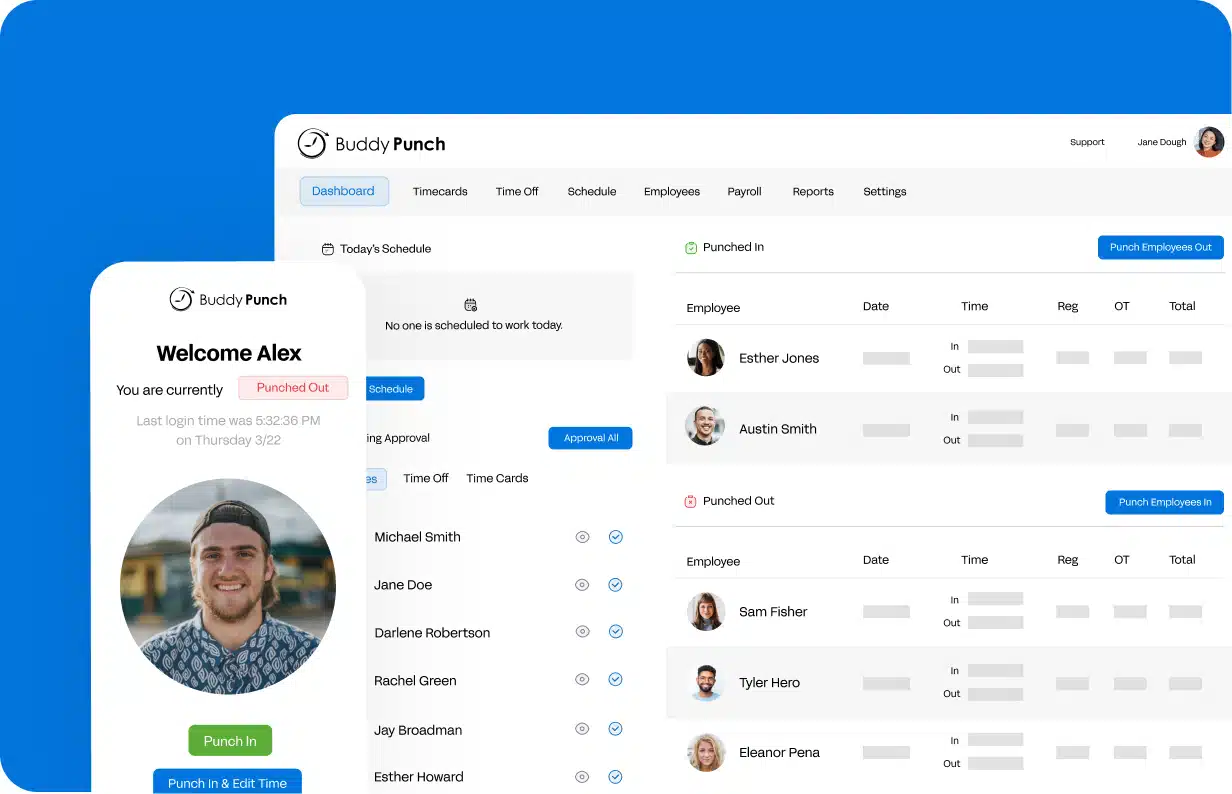
Facial recognition technology eliminates buddy punching while keeping things straightforward. Beyond reliable time tracking, it handles PTO management, scheduling, and overtime alerts with minimal fuss. Works well for companies with both office and field staff, and integrates cleanly with major payroll systems.
Key Features
Facial recognition time clock to prevent buddy punching
PTO and vacation tracking and requests
Drag-and-drop scheduling
Overtime calculations and alerts
Payroll integrations with Gusto, ADP, Paychex, and QuickBooks
What Users Say
"What I like most is how easy it is to use. Very user-friendly. Clocking in and out only takes a few seconds, and it works smoothly whether you're on desktop or mobile." Source: Melvin B., Scheduling Coordinator, Construction, G2
Pricing
Plan: Starter Plan
Cost: $5.49/user/month + $19/month base fee
Free Trial: 14-day trial available
Link to pricing page
8. ExakTime: Time Tracking For Large Crews And Multiple Job Sites
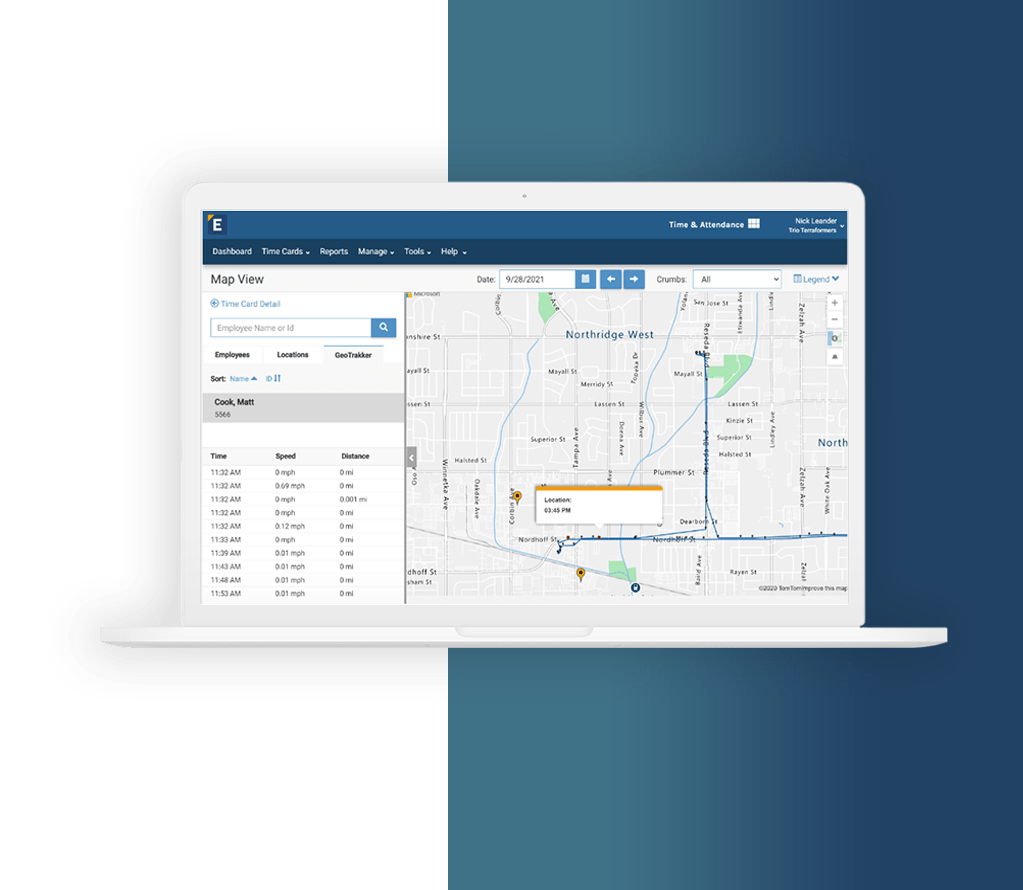
ExakTime has been built specifically for construction since 1999, and it shows. Crews can clock in using the mobile app or one of ExakTime's rugged on-site time clocks, making it one of the few solutions that works just as well without a smartphone in hand. The GeoTrakker feature goes beyond basic GPS, tracking employee movement throughout the entire shift so managers get a full picture of where their crews have been, not just where they clocked in.
Key Features
GPS tracking with GeoTrakker breadcrumb trail
Geofencing with exception alerts for off-site clock-ins
FaceFront photo ID verification to prevent buddy punching
Job costing and cost code tracking
Rugged on-site JobClock hardware for crews without smartphones
Integrations with QuickBooks, Sage, ADP, Foundation, Viewpoint, and 100+ more
Available in English, Spanish, and French
What Users Say
"The user interface is very easy to use for employees. The app is simple, clear and easy to understand. Was an easy transition from paper time cards to electronic." Source: Andrea A., Office Manager, Capterra
Pricing
Plan: Pro
Cost: $9/user/month + monthly base fee (billed annually)
Free Trial: Demo available
Link to pricing page
9. Raken: Time Tracking With Daily Reports And Safety Logs
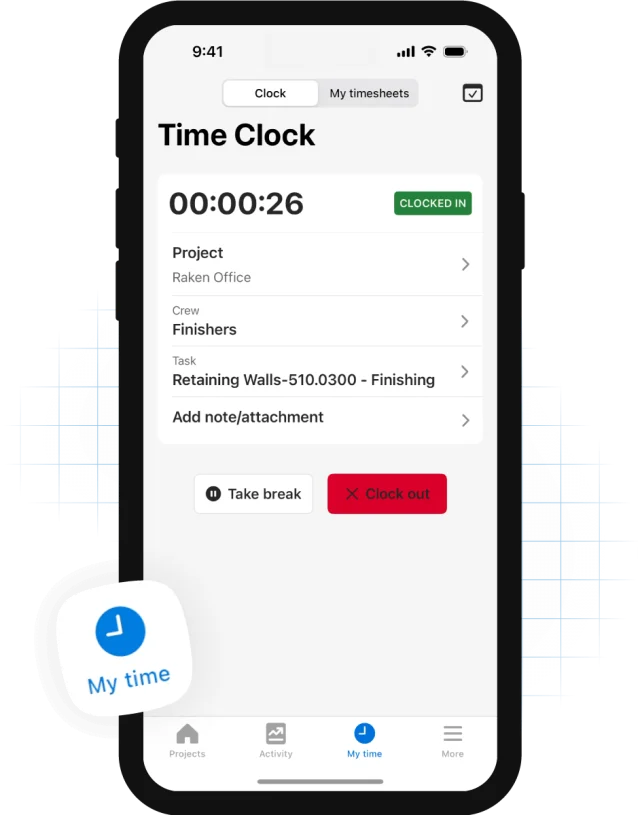
Goes well beyond time tracking to handle your entire field documentation process. Daily reports, safety toolbox talks, photo logs, and timesheets all live in one platform. It's built for construction teams who take safety and documentation seriously, turning hours of paperwork into minutes of mobile entries.
Key Features
Daily construction reports with weather and site conditions
Safety toolbox talks and OSHA compliance tracking
Photo documentation with markup tools
Time cards integrated with daily reports
Production tracking and equipment logs
What Users Say
"I like that it can store project data, such as pictures of before and after, documents, and comments from foremen regarding the job." Source: Jason C., Executive Assistant, G2
Pricing
Plan: Custom Quote Required
Cost: Contact for pricing
Free Trial: Demo available
Link to pricing page
10. SmartBarrel: Facial Recognition Time Tracking For Job Sites
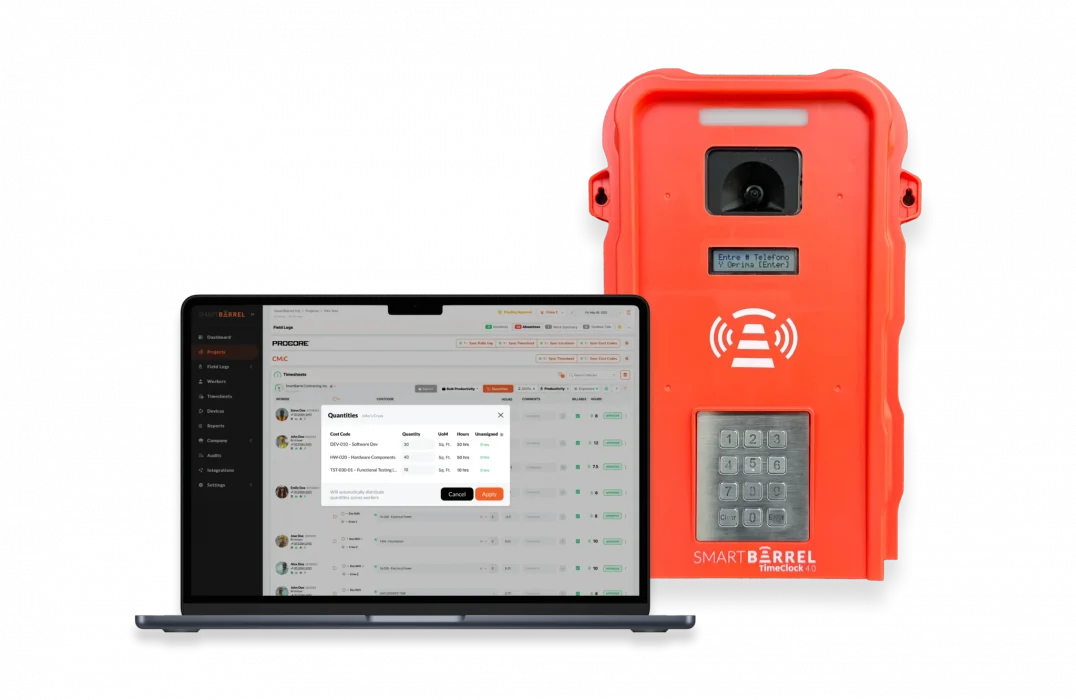
SmartBarrel takes a different approach to construction time tracking by putting fraud prevention at the centre of everything. Instead of relying on employees to clock in honestly, it uses AI-powered biometric facial verification on every single punch, making buddy punching physically impossible. Workers simply enter their phone number, and the app scans their face. No app download required, no passwords, no excuses.
Key Features
AI-powered biometric facial verification on every clock-in
GPS geofencing to block off-site punches
Solar-powered, LTE-connected rugged jobsite time clock hardware
Cost code tracking by shift, phase, and task
PPE compliance detection for hard hats, safety glasses, and vests
Daily log automation with headcount, weather, and incident data
Direct integrations with Procore, CMiC, Vista, Foundation, QuickBooks, and PowerBI
Offline functionality with automatic sync
What Users Say
"I have rolled out plenty of new platforms and systems, and by far Smart Barrel's support surpasses all others I have worked with." Source: Bernadette B., Project Administrator, Capterra
Pricing
Plan: Custom (quote-based)
Cost: Contact SmartBarrel for pricing
Free Trial: Demo available
Key Features to Look for in a Construction Timesheet App
Not all timesheet apps are built for the realities of construction work. Here's what matters when you're evaluating your options:
GPS tracking and geofencing so you know crews are on site when they clock in, not parked down the road
Mobile clock-in for field teams that works offline and syncs automatically when connectivity returns
Job costing tools that tie labour hours to specific projects, phases, and cost codes in real time
Payroll integrations with software like QuickBooks, ADP, Gusto, or your ERP so hours flow straight to payroll without manual entry
Crew clocking that lets a foreman use a crew timesheet app to clock in the whole team from one device
Timesheet approvals so managers can review and sign off before payroll runs, not after
Scheduling that lets you assign workers to jobs and flag conflicts before they become problems
Reporting that gives you a clear picture of labour costs, overtime, and job profitability
The best construction timesheet apps do more than just replace paper. They give you visibility, accuracy, and control across every job site.
Which Construction Timesheet App Is Right for You?
Picking the right app comes down to how your business actually operates.
Small crews of 5 to 10 people need simplicity above everything else. You want something that takes minutes to set up, is easy for field workers to use on day one, and covers the essentials without unnecessary complexity.
Larger operations managing 50 or more workers across multiple sites need more horsepower. Think crew scheduling, detailed job costing, equipment tracking, and reporting that gives you a real picture of what each job is actually costing you.
On budget, free plans work well for small teams or testing the waters. But for most growing construction businesses, a premium app pays for itself quickly in time saved, payroll errors avoided, and labour costs brought under control.
Whatever you choose, pick something built for construction, not adapted from a generic tool, and make sure it scales with you as your business grows.
Thousands of contractors trust ClockShark to track their crews, control labour costs, and run cleaner payroll. Schedule a free demo and see how much time you could win back every week.